 Parent Teacher Conferences will be held this upcoming Sunday February 2nd, 2020 during regular school hours.
Who will I be meeting with?
You will have the opportunity to meet one-on-one with your child's Tarbiya teachers and your Quran teachers.
What will we be discussing?
You will have the opportunity to go over your child's progress in class, go over their homework assignments, quizzes, tests, and to garner general feedback about your child's experience in class.
What are the timings of the conferences?
Quran Conferences will be held between 10:30AM and 11:40AM.
Tarbiya Conferences will be held between 12:50PM and 2:00PM.
Will my children have class during the conferences?
YES. Students will have regular classes on this day. It will be a normal school day for students.
Do I need to schedule an appointment to meet each of my children's teachers?
YES. You MUST schedule an appointment in order to meet with your teachers. Walk-in appointments are not supported.
How do I schedule my conferences online?
Scheduling your conferences is very simple:
- Log onto the Parent Portal:
http://gradebook.jafariaschool.com - Choose which child you wish to schedule the conferences for.
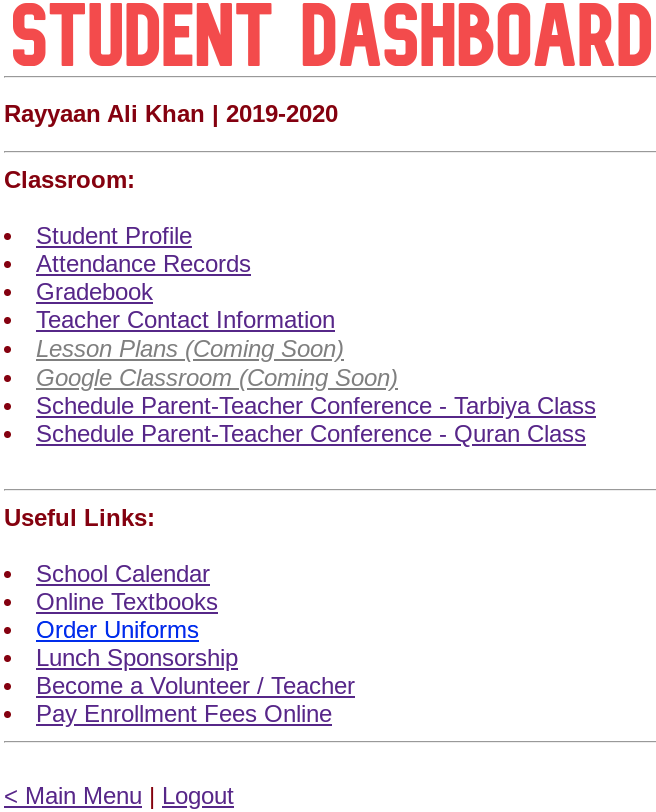
- From the Student Dashboard page, choose one of the following: Schedule Parent-Teacher Conference - Tarbiya Class
Schedule Parent-Teacher Conference - Quran Class
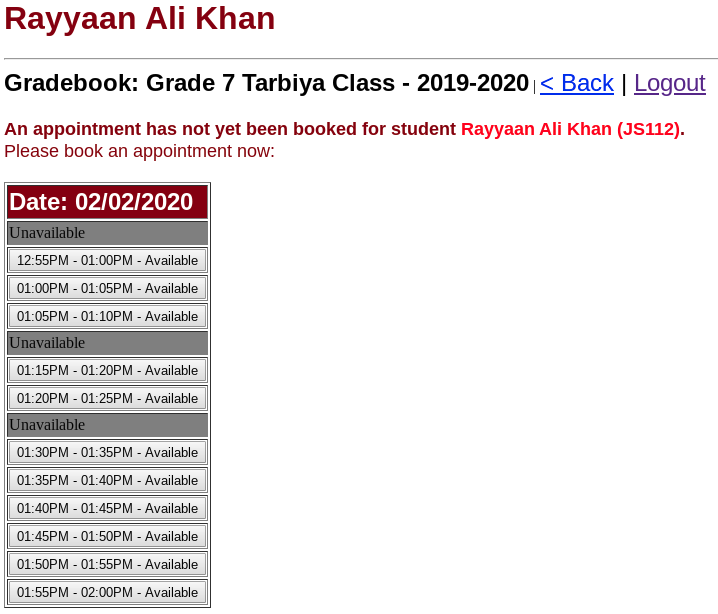
- On the next page, you will be able to click on the available time slots for the class that you chose.
- Once you have clicked on an open slot, you will receive an email confirmation for your conference.
- To select a conference for your other class you can go back to the previous page and choose the other class, to schedule the other conference.
What if I can't make it to the conferences on this date?
- Please reach out to your teachers to arrange a conference on a separate date.
- You may also arrange for a conference by phone.
- You may also review your teacher's feedback by clicking on "Gradebook" from the main menu, and then clicking on "Tarbiya Class Parent Teacher Conference Teacher Feedback" or "Quran Class Parent Teacher Conference Teacher Feedback".
How To Schedule Your Conferences Online
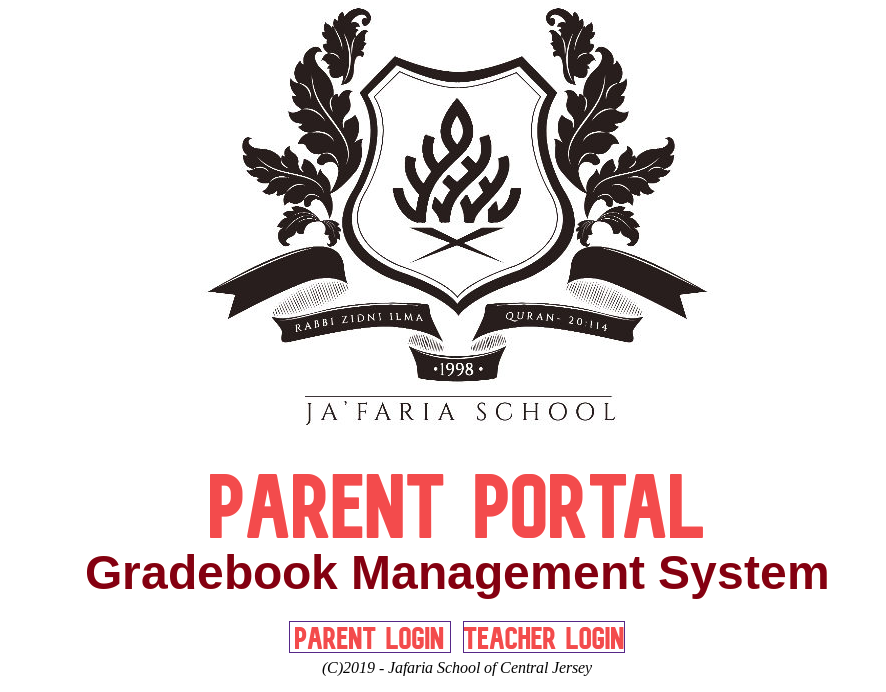
Step #1:
Log onto http://gradebook.jafariaschool.com.
Step #2:
Select your child.
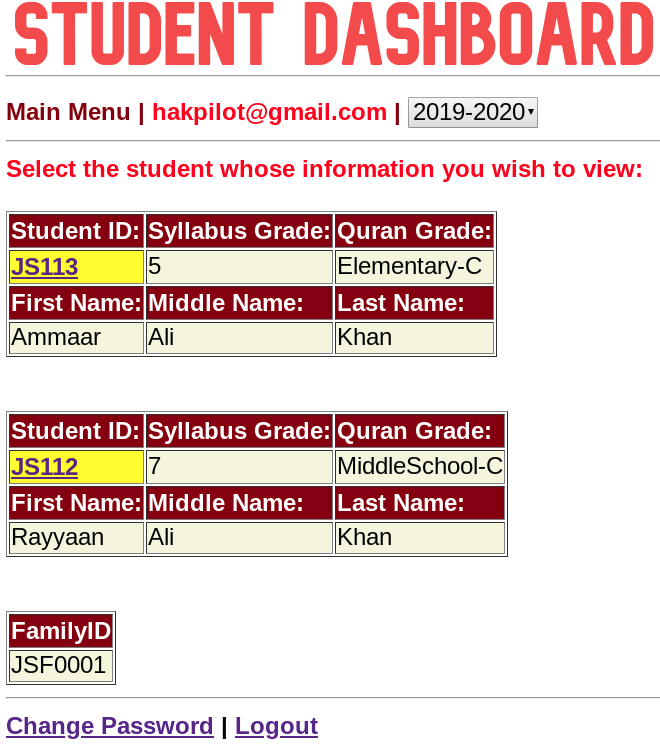
Step #3:
Click on "Schedule Parent-Teacher Conference" for each class.
Step #4:
Click on any available time slot.
Step #5:
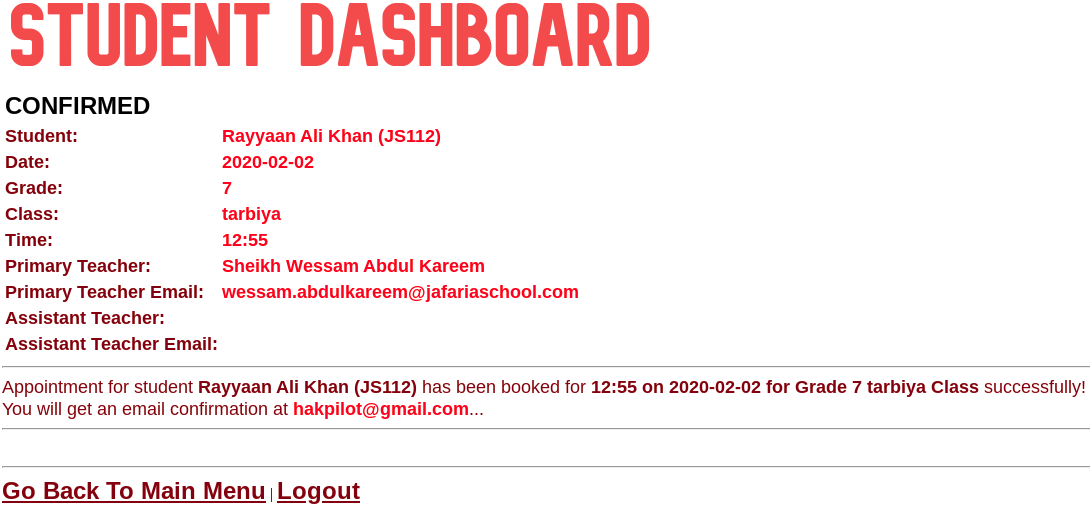
You should receive an email confirmation.
Repeat for the other class.